Sym Junk app
No more manual gas entry: from cylinder label to dive computer with Sym Junk
In 48 seconds: scanning the Blend Junk gas labels in Sym Junk, applying deco gases and diluent, and syncing to your dive computer in one go. No manual entry.
- Brand
- Sym Junk
- Product
- app
- Published
- 20 Sept 2026
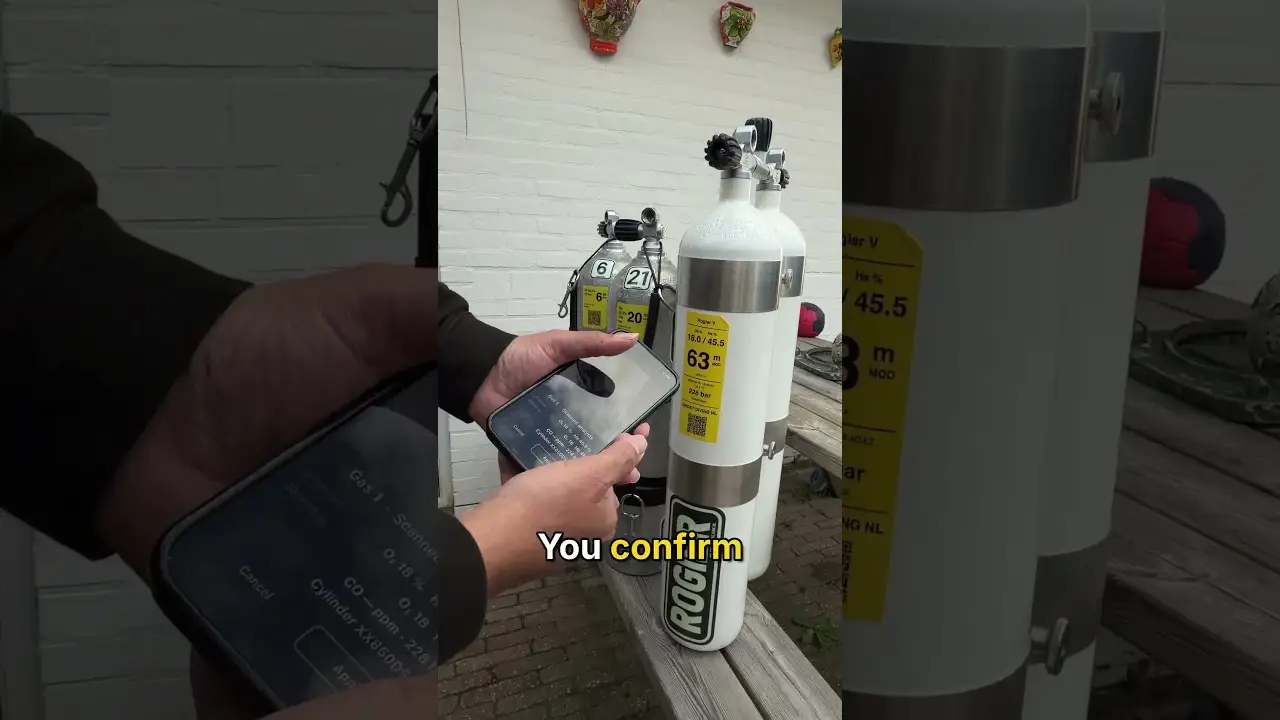
A short one, because it is a Short. I had filled my cylinders and printed the labels with Blend Junk. This is how those labels get into Sym Junk and then into your Halcyon computer, without typing a single number.
How it goes
- In Sym Junk, go to gases and tap the scan icon.
- Point the camera at the label of the first cylinder. The app reads the gas and you confirm it is right.
- Second cylinder: scan, apply. Third cylinder: scan, apply.
- Same for the diluent: scan the label of the diluent cylinder and apply.
- Save and sync to your Halcyon computer. Ready to dive.
That is all. The values on the label are the values from the analyzer, so what is in your computer is what is really in your cylinder, not what you ordered.
Why it matters
Manual entry is where the mistakes live: a wrong button, two digits swapped, and your decompression is off. The label is made once, at analysis, and after that it is only read.
How the labels come about, from analyzer to printer, is in the gas blending video. And everything else Sym Junk does is in the app introduction.
Sym Junk is an independent app with no connection to Halcyon.