Blend Junk app
The future of gas blending? Trimix analyzer, labels and Blend Junk
How I blend and label trimix: a Divesoft analyzer with Bluetooth, a wireless pressure sensor, labels from an ordinary printer and Blend Junk for the steps.
- Brand
- Blend Junk
- Product
- app
- Published
- 12 Sept 2026
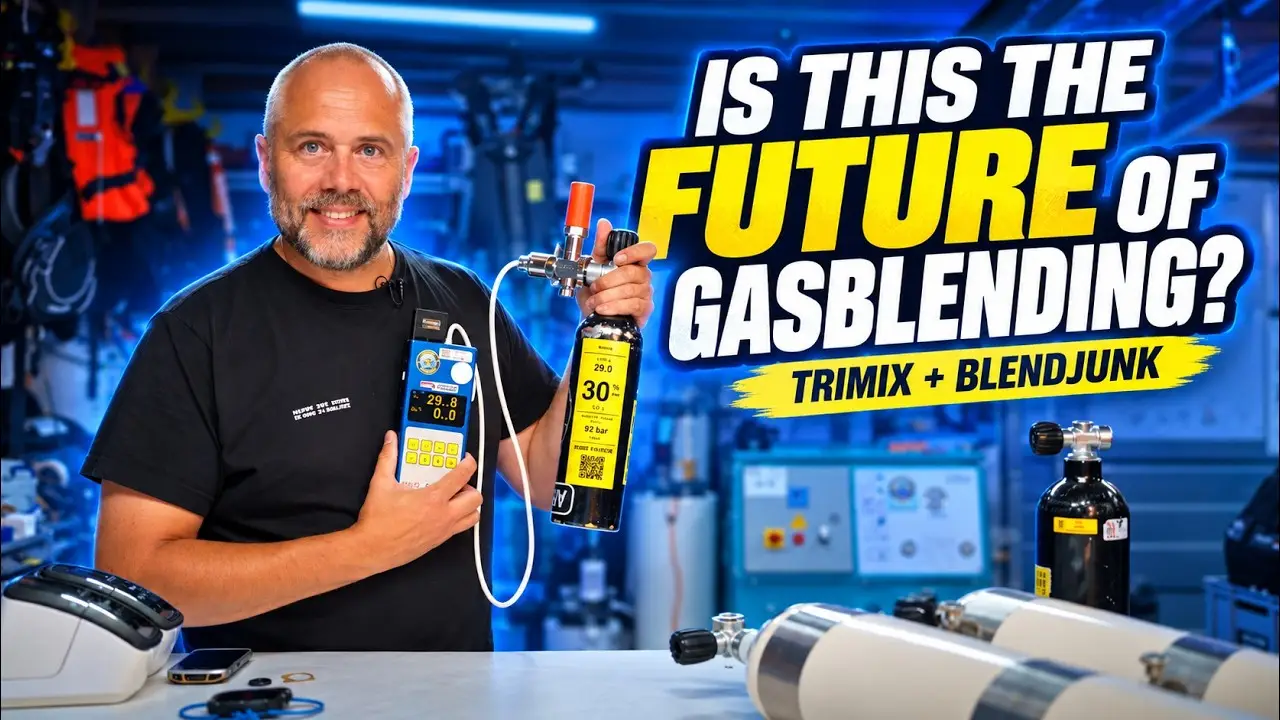
No Symbios and no Halcyon this time. This time gas blending, because next to diving and building apps it is the other thing I love: compressor, buffers, filling station, boosters, a PLC operating valves. What I show here is how I think gas blending could look in the future, and most of it already works in my garage.
The analyzer that talks to your phone
Almost every technical diver has a Divesoft analyzer, in blue or black. It measures helium and oxygen, which is exactly what we need. What I built onto it is a small box that sends the analyzer’s values to my phone over Bluetooth. I make that box myself and it is for sale from me.
The second piece is the pressure transducer. Sadly it is no longer made, so ask a buddy if you are looking for one. The nice thing is that you can take the end cap off and fit a wireless pressure transmitter. Also Bluetooth.
Together that gives me on my phone in one go: 29 per cent oxygen, zero helium, 91 bar. The demo cylinder, but the principle is the same for every cylinder.
A sticker on the cylinder
Every cylinder carries an NFC sticker, like a bank card. Scan it with your phone and the app knows which cylinder it is. Then you can print: a small label with only the essentials, a big label with room for names, a shop name and the PO₂ the MOD was calculated with, or a MOD label for the side so your buddy can check at a gas switch.
Why scan? Because the printer is sometimes on the other side of the shop. If you analyse ten cylinders, you want to be sure the right label goes on the right cylinder. The label also carries a barcode, and that comes back later.
The printers are nothing special. I use a Brother QL-710W over Wi-Fi, but almost any label printer works. They can be found second-hand for little money. The Epson TM-88, the receipt printer from the till, can print the recipe too.
Blending with a recipe
Before I can label a cylinder, gas has to go in. For that the app has a blend mode. You analyse what is in the cylinder, 91 bar at 29 per cent, and you say what you want: 21/35. The app calculates how much helium and how much oxygen to add.
If you have many cylinders to fill, you scan the QR code on the cylinder and print the recipe. On a label, or simply on paper you stick to the cylinder. You hand that to whoever is filling, and they see exactly what goes in. A cheap second-hand Android with a scanner is enough for that side of the shop.
Connect it to Dive Junk, the online platform for dive shops that I built, and the fill data and volumes go there. Handy at a holiday destination: everything lands on the guest’s account, and at the end of the week you see exactly how many fills and how many litres of each gas.
The booster that stops itself
One step further. The recipe can go to the booster. I built a program on a PLC, a programmable controller, with a pressure sensor. It watches the pressure coming in. If a hundred bar of oxygen has to go in, it closes the valve at a hundred bar, stops the booster and switches over to helium. Then you analyse, print the sticker and the label goes on the cylinder.
From cylinder to dive computer
Here the circle closes. In Sym Junk, my app for the Symbios, there is a QR-code button next to the gases. Point the camera at the label and the app reads oxygen, helium and, if your analyzer can do it, carbon monoxide too. Choose your gas, press apply, and it is in your list. Then one sync to your Halcyon computer or HUD.
Why that matters: you can work with standard gases, but what the blender delivers is sometimes slightly different from what you asked for. Then you want the real values in your computer, not the agreed ones.
Reading CO only works with an analyzer that measures it, such as the Divesoft Echo, which I do not have yet. Hopefully it will soon work with Halcyon’s new analyzer as well.
Why I show this
Not to sell my apps. It is about the idea: streamlining gas blending in a shop or on a big project with cheap label printers, an analyzer you already own and information shared in the team instead of on a scrap of paper. If you have ideas or questions, put them under the video. I want to make this system bigger and more affordable, and that does not happen alone.
More about the app is on the Blend Junk page, and the gas link with the Symbios on the Sym Junk page.