App
Cash Junk
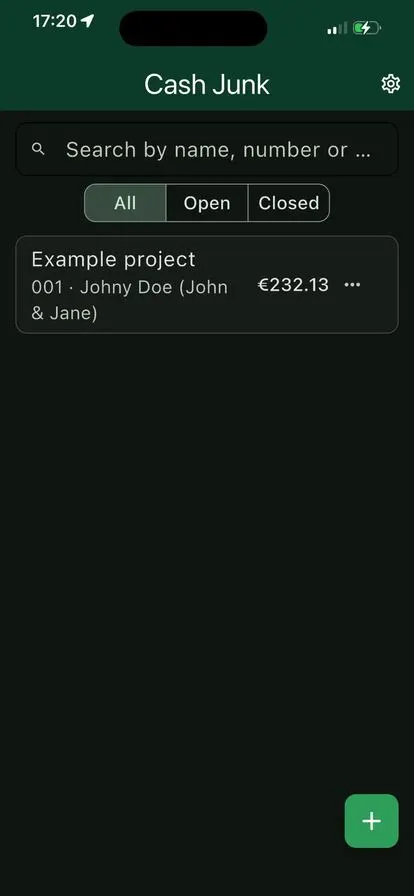
Snap every receipt on the job. When the project is done, Cash Junk turns it into a clean PDF claim with all receipts attached. No account, works offline.
- Price
- To follow
- For
- Anyone claiming expenses per project
- Platform
- Android · iOS
Cash Junk
- Coming soon to the App Store and Google Play
Receipts in. Expense claim out. Snap every receipt on the job. When the project is done, Cash Junk turns it into a clean PDF claim with all receipts attached, ready to send. No account, works offline, for iPhone, iPad and Android.
How it works: from crumpled receipt to sent claim in three steps
- Create a project. A job, a trip or an assignment. Pick the client straight from your contacts.
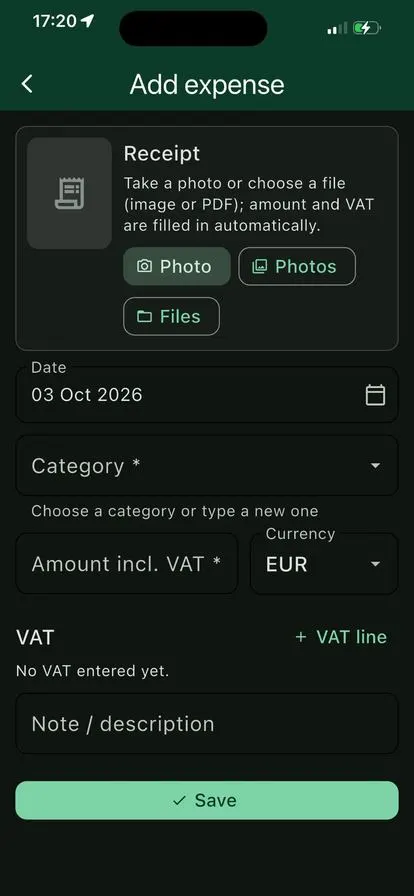
- Snap every receipt. Cash Junk reads the total, currency, date and VAT for you. You check it and save.
- Close and send. Close the project and share the PDF claim by email, WhatsApp or any app you like.
A claim your client can process without questions
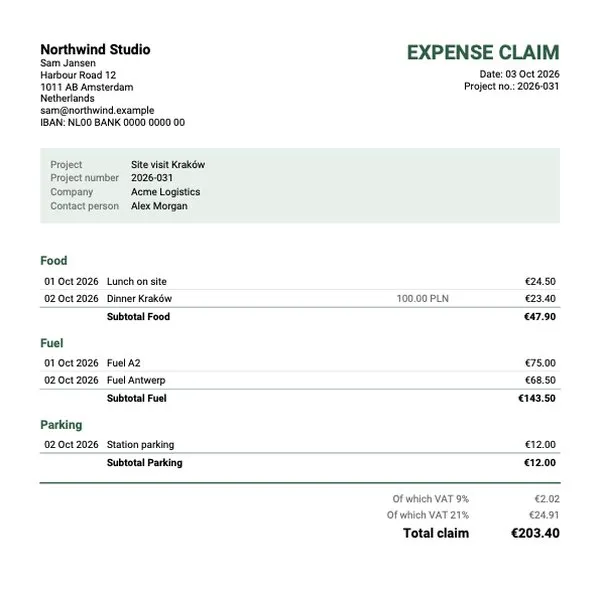
- Your details on top. Name, company, address, IBAN and BIC, entered once.
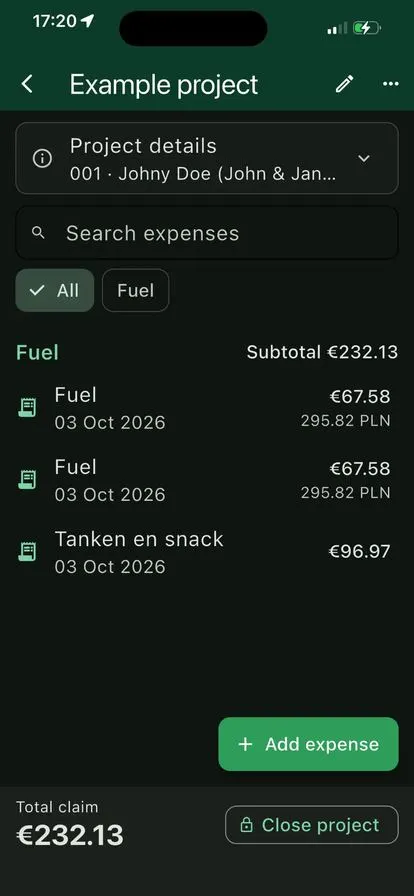
- Grouped by category. Every expense with date and note, a subtotal per category and one total.
- VAT per rate. A VAT summary at the bottom, also for receipts with more than one rate.
- Receipts attached. Photos of every receipt follow the overview, numbered so each line can be traced.
Built for the road: handles the receipts that usually cause trouble
Foreign receipts. Cash Junk fetches the official ECB exchange rate for the receipt date and converts it to euros. The original amount and rate stay on record. 100.00 PLN becomes €23.40 at ECB 4.2735.
Receipts from your inbox. Got an invoice by email? Import it from Files, as an image or a PDF, and it’s read just like a photo.
Preview, then lock. Check a draft PDF first. Once a project is closed it’s locked, so a claim you’ve sent can’t change. Forgot something? Duplicate it.
Your own categories. Food, fuel, tolls, parking, hotel, or type your own. New categories are remembered for your next projects.
Simple on purpose
No bookkeeping software, no accounts, no setup. Projects, expenses and a total. The screens below show it.
Your receipts stay on your phone
- No account, no cloud, no tracking, no ads.
- Receipts are read on the device itself.
- Only the date and currency are sent when fetching an exchange rate.
- Back up and restore whenever you like, to a place you choose.
Read the privacy policy. Questions or help? See the support page.